|
All Invoices received from Vendors for Purchase Orders that was issued through OrderStream will be entered into the system through the Vendor Invoice Form. This form is launched from the OrderStream profile bar by clicking on the [Purchasing] tab, followed by the [Vendor Invoicing] icon.
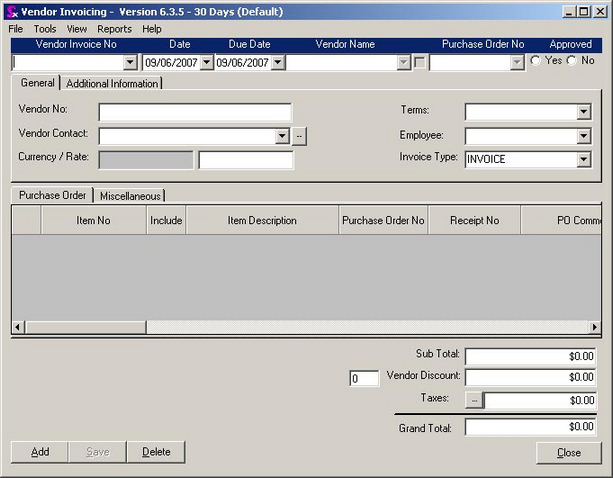
There are three distinct sections on the Vendor Invoicing form: the header section, the main body section, and the footer section. The layout of the header and footer sections is straight forward, however, the main body section requires some explanation.
Within this section there are two groups of tabs. The top group consists of two tabs labelled ‘Purchase Order’, and ‘Additional Information’. The bottom group of tabs also consists of two tabs. They are labelled ‘Purchase Order’, and ‘Miscellaneous’. The purpose of the tab groups, as well as the information contained within them is discussed throughout this chapter.
|


