|
Existing customer ship to and bill to addresses can be edited or new addresses can be created by accessing the Tools menu and selecting Customer Ship Tos or Customer Bill Tos respectively. The Customer Ship To address form is shown in the image below; the Customer Bill To address form is identical in appearance and functionality.
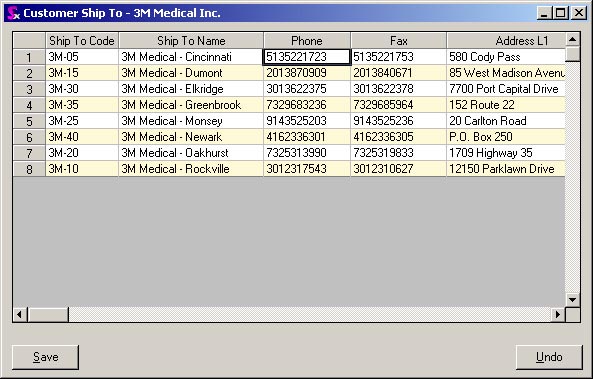
Each field on the address form is editable. Simple double click to activate the cursor inside the field and enter the required changes. When remove the cursor from the field either by tabbing or clicking, the Save button will be enabled, allowing you to save your changes.
You also have the ability to add new addresses via this form. Press the Insert key to add a new blank line and proceed to enter the required address information. Click the Save button when you are finished.
|