|
Click ADD on the lower left of the Search Designer screen.
Search Name – A useful name for the search. In the example below SalesOrder Search – C was entered. You can enter anything for the Search Name.
Base Query – From the drop down I selected the base query that I previously created. In this case I selected my base query SalesOrder – C. Once you select the Base Query from the drop down box you will see the fields from your base query vertically populate the details section of the screen.
Module - Select the applicable module that query should belong to. Since my search is related to SalesOrder I have selected SalesOrder as the module.
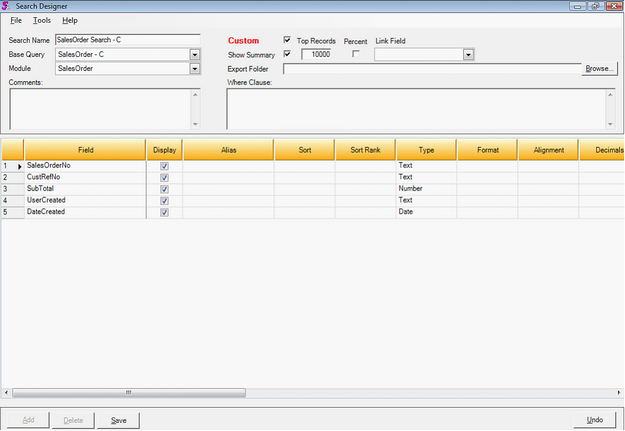
Click SAVE on the lower left of the screen to save your newly created Search..
|


