|
In Figure 416, the user can create standard notes to be applied to any item on any of the reports shown on the tabs (Work Order, Sales Order etc). For example, if you need to include the note “Ship only full skids” to the Packing Slip every time you ship item AN-10, this is the form to use for that purpose. Customer notes will not appear on any standard reports. Custom reports are necessary to take advantage of this functionality.
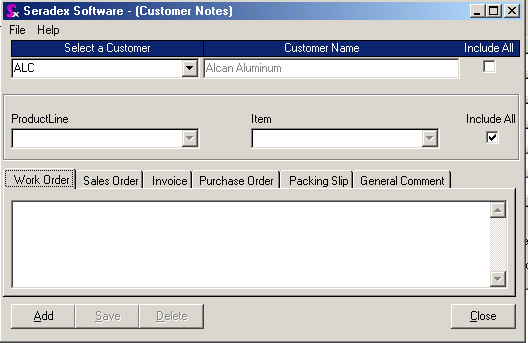
First, click on “Add”. If the notes are to be applied universally to all clients, click on “Include All” beside customer name. If the notes are to be applied to only one customer, find the customer in the “Select a Customer” combo.
You can choose to include these notes on all items by leaving the “Include All” flag activated. Alternately, you can select individual items identified by Product Line with the related item or just pick the Item.
Next, click on the tab of the module where you need to insert the report note and type it in the field below the module. Click on Save.
|